centos7搭建Nginx
Nginx安装
Nginx安装
添加RPM包进行安装
#添加Nginx包
sudo rpm -Uvh http://nginx.org/packages/centos/7/noarch/RPMS/nginx-release-centos-7-0.el7.ngx.noarch.rpm

#安装
sudo yum -y install nginx
启动Nginx并设置为开机启动
#启动服务
sudo systemctl start nginx
#(如果启动失败,可能是Apache等服务占用了80端口,关掉相应服务/修改端口即可)

#设置nginx开机启动
sudo systemctl enable nginx
开放端口
#开放80端口(nginx默认监听80端口)
firewall-cmd --add-port=80/tcp --permanent

#重载防火墙规则
firewall-cmd --reload
访问测试
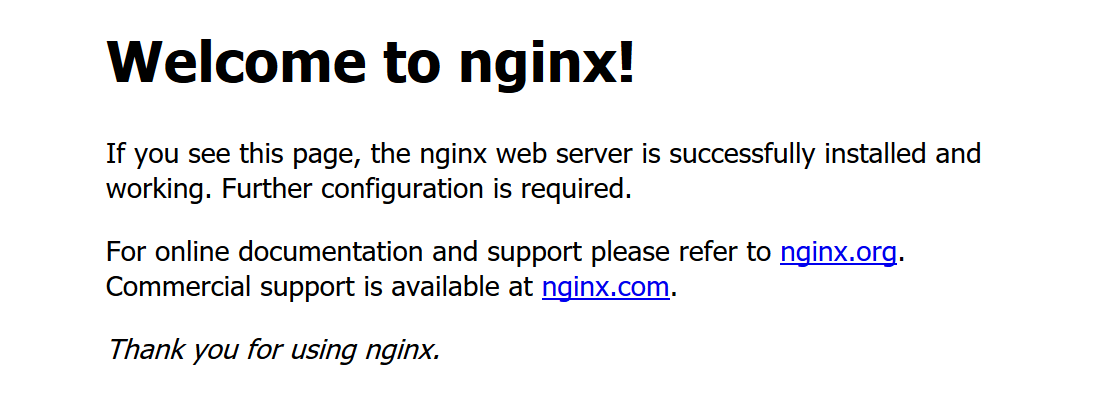
浏览器输入 服务器IP,出现以下信息说明安装成功
Nginx常用配置
配置文件说明
1、全局配置文件:/etc/nginx/nginx.conf
2、默认配置文件:/etc/nginx/conf.d/default.conf
新增配置目录
#1、新增配置文件夹
sudo mkdir /etc/nginx/server
#2、修改默认配置(加载该文件夹下的配置)
sudo vi /etc/nginx/nginx.conf
#3、在http属性下增加:
include /etc/nginx/server/*.conf;
反向代理配置
#1、新建/修改配置文件
sudo vi /etc/nginx/server/default.conf

#2、配置示例
server {
    listen       80;        #监听80端口
    server_name  my.centos.com; #监听的域名
    location / {            #转发或处理
        proxy_pass https://www.xxx.com;
    }
    error_page   500 502 503 504  /50x.html;#错误页
    location = /50x.html {
        root   /usr/share/nginx/html;
    }
}
负载均衡配置
upstream serverswitch {
    server 127.0.0.1:80;
    server 127.0.0.1:81;
}
server {
    listen       80;        #监听80端口
    server_name   my.centos.com; #监听的域名
    location / {            #转发或处理
        proxy_pass https://www.xxx.com;
    }
    error_page   500 502 503 504  /50x.html;#错误页
    location = /50x.html {
        root   /usr/share/nginx/html;
    }
}
虚拟主机配置(一般网站)
#修改/etc/nginx/server/default.conf
server {
    listen 80;
    server_name [域名];

    set $root [项目路径];

    error_page 404 /404.html;
        location = /40x.html {
    }

    error_page 500 502 503 504 /50x.html;
        location = /50x.html {
    }

    # PHP 脚本请求全部转发到 FastCGI处理. 使用FastCGI协议默认配置.
    # Fastcgi服务器和程序(PHP,Python)沟通的协议.
    location ~ \.php {
        # 设置nginx的默认首页文件
        fastcgi_index   index.php;
        # 设置监听端口
        fastcgi_pass 127.0.0.1:9000;
        fastcgi_split_path_info ^((?U).+.php)(/?.+)$;
        fastcgi_param PATH_INFO $fastcgi_path_info;
        fastcgi_param PATH_TRANSLATED $document_root$fastcgi_path_info;
        # 设置脚本文件请求的路径
        fastcgi_param    SCRIPT_FILENAME    $root$fastcgi_script_name;
        # 引入fastcgi的配置文件
        include        fastcgi_params;
    }

    location / {
        root    $root;
        # 这里改动了 定义首页索引文件的名称
        index    index.html index.php;
        if ( -f $request_filename) {
            break;
        }
        if ( !-e $request_filename) {
            rewrite ^(.*)$ /index.php/$1 last;
            break;
        }
    }

    location ~ /\.ht {
        deny  all;
    }
}
/etc/nginx/nginx.conf配置文件分析
# nginx运行的用户名
user nginx;
# nginx启动进程,通常设置成和cpu的数量相等,这里为自动
worker_processes auto;

# errorlog文件位置
error_log /var/log/nginx/error.log;
# pid文件地址,记录了nginx的pid,方便进程管理
pid /run/nginx.pid;

# Load dynamic modules. See /usr/share/nginx/README.dynamic.
# 用来加载其他动态模块的配置
include /usr/share/nginx/modules/*.conf;

# 工作模式和连接数上限
events {
    # 每个worker_processes的最大并发链接数
    # 并发总数:worker_processes*worker_connections
    worker_connections 1024;
}

# 与提供http服务相关的一些配置参数类似的还有mail
http {
    # 设置日志的格式
    log_format  main  '$remote_addr - $remote_user [$time_local] "$request" '
                      '$status $body_bytes_sent "$http_referer" '
                      '"$http_user_agent" "$http_x_forwarded_for"';

    # access_log记录访问的用户、页面、浏览器、ip和其他的访问信息
    access_log  /var/log/nginx/access.log  main;

    # 这部分下面会单独解释
    # 设置nginx是否使用sendfile函数输出文件
    sendfile            on;
    # 数据包最大时发包(使用Nagle算法)
    tcp_nopush          on;
    # 立刻发送数据包(禁用Nagle算法)
    tcp_nodelay         on;
    # 链接超时时间
    keepalive_timeout   65;
    # hash最大容量
    types_hash_max_size 2048;

    # 引入文件扩展名与文件类型映射表
    include             /etc/nginx/mime.types;
    # 默认文件类型
    default_type        application/octet-stream;

    # Load modular configuration files from the /etc/nginx/conf.d directory.
    # See http://nginx.org/en/docs/ngx_core_module.html#include
    # for more information.
    include /etc/nginx/conf.d/*.conf;

    # http服务上支持若干虚拟主机。
    # 每个虚拟主机一个对应的server配置项
    # 配置项里面包含该虚拟主机相关的配置。

    #加载引入配置项
    include /etc/nginx/server/*.conf;
}